Simple Way to Connect Goolge Sheet with Excel | Google Sheet to Microsoft Excel Live Data Connection | Excel Power BI to Connect Google Sheet

8 July 2022

Friends when have multiple branches or have offices on different locations, or want to work multiple people on same project or sheet. Then we simply use google sheet. In single google sheet many people can work from different computers. But sometime we need to handle it with Microsoft Excel and want to create reports according to our need. Same we can set and import Google sheet data into excel. And also can excess it live. So let’s see how can import google sheet data into Excel and use live.: Goto Google Sheet Open Document That want to import in Excel Click on Share Choose anyone with the link and copy link: Now Open Excel – Goto Data – New query – From Other Source – From Web Paste URL that you copied from Google Sheet: Now do some changes in URL: Example     Copied URL from Google Sheet: https://docs.google.com/spreadsheets/d/1HcvrFNi8hV0G_Rytj7fkjrYDUIIZsALvImSd7AcEg/edit?usp=sharing  New URL after Changes: https://docs.google.com/spreadsheets/d/1HcvrFNi8hV0G_Rytj7fkjrYDUIIZsALvImSd7AcEg/export?format=xlsx (Changes : edit to export ,  usp to format, sharing to xlsx)  Click on Sheet and Click on Load Wait for some time . Now our google sheet will be loaded in Excel We can refresh to fetch new changes. Watch Above video for more details

Tally Tool Tip | Sticky Notes for Tally | Notification TDL for Tally | 2022 Best Free Tally Prime and Tally ERP9 TDL

3 May 2022

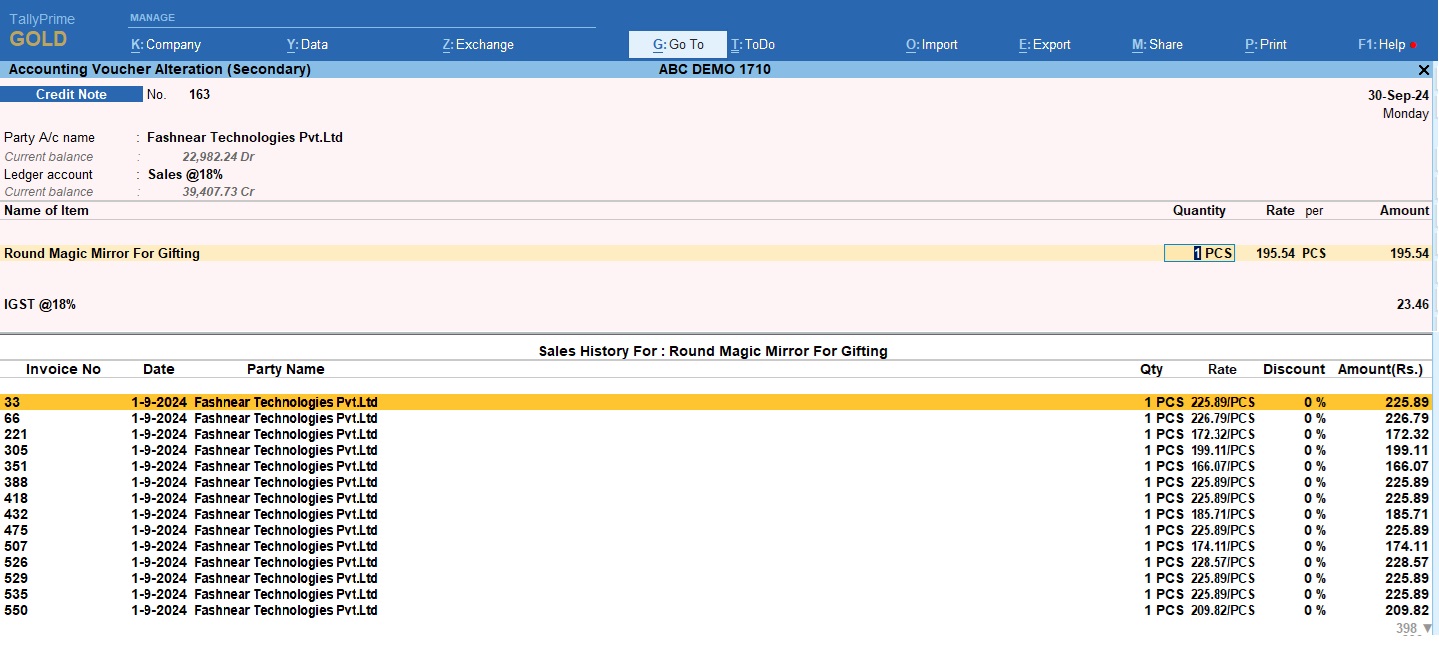
When we use any software or tool related to our business, every time we need help or reminder messages to work properly. In this tool tip and sticky notes play important role. With Tooltip and sticky notes we can find out our problems and solve it easily. In Tally there is no tool tip or sticky notes, so sometime we forgot important things. But with Tally TDL (Tally Definition Language) we can modify our Tally software and can add tool tip for vouchers, group summary and ledgers etc.In Tally TDL tool tip option play important role, by this we can add tool tip like sticky notes. With this we can see ledgers note, ledgers contact details and also can see last sale or purchase rates for billing items. Like this we can create other reports also by adding tool tip in Tally fields section.In this TDL code we use Tally tooltip facility. In this Tally TDL code we can add some additional fields or we can remove extra fields according to our need, and this will work perfectly with Tally Prime. Best simple tdl code see tool tip and sticky notes in Tally. HOW TO USE TDL CODE: Copy below TDL code and make a text file. Save text file then load in Tally Prime (Method provided below the code) Now go to outstanding reports, or vouchers and move cursor on ledgers. Now we can see tool tips for that ledger. TDL CODE: This is best free TDL to have in your Tally . Must have TDL file for Tally ERP9 and Tally Prime that can use for lifetime. This free TDL Code will perfectly work with Tally Prime. Watch above video to learn : How to add tool tip option in Tally How to alter Tally field section. FOLLOW THE BELLOW INSTRUCTIONS TO LOAD TDL FILE IN TALLY: Make a Text file of above code Save it in to your computer Copy the text file path including Name and extension (as – C:\Users\HP\Desktop\rec\Business Summary.txt) Open Tally Prime Software Click on Help and click on TDL & Addon  (for Tally Prime) Press F4 (to open a Box) Set Load TDL file on Startup – Yes Paste The path in blank space Press enter and save Now your Tooltip TDL is ready to use

How to get Excel Cell value in Excel Power Query | How to fetch Date from Excel sheet to Excel Power BI | How to Collect Tally Data in to Excel | Tally to Excel Import

1 May 2022

Excel power query is an amazing tool in excel. With Excel Power Query / Excel Power BI we can collect Tally Data in to Excel through ODBC connection. And can import Tally Live Data in to Excel. Please go through this post see how to write codes in power query to import Live Tally Data in to Excel.If you see previous post, you observe that there we can change dates in our code only. So we need to change date etc. from our excel sheet without going in power query code. This will be simple method to collect data from Tally.  How to Connect Excel Cell Value (Date) with Power Query: Write Headings for Cell Value (Like : From Date and To Date) Fill Date below the Headings Select Dates with Header. Right Click on selected cells Choose Get data from Table/Range Click on My Table has headers and Click OK Now you will reach in power query code. In power query Dates will come with time. Remove time by changing datetime into Date in power query code After changing in Date, Right Click on From Date header – Change Type – Using Locale Keep Data Type Text and Locale – English and Press OK  Repeat same process fro To Date (Right click on ToDate – Change Type – Using Locale – Text and English – OK) Right Click on Date and choose Add as new query Repeat same process for second date Now Change From Date and To Date name in properties (name without any space) Now You can use FromDate and ToDate in another power query code of this sheet. Like: body = Text.Replace(Text.Replace(_body, “DATE1”, FromDate), “DATE2”, ToDate), For More clarification Please watch this video:

BUSINESS SUMMARY TDL | Business Dashboard TDL for Tally Prime | 2022 best Free Tally Prime TDL

21 April 2022

We must do accounting to maintain business books and see it’s progress. If you use Tally to maintain business accounting and maintain it’s books, always create a business summary to follow your profits and customers along with top lists of ledger account. So today I have something special to create a business summary of your Tally books. In Tally we can customize our reports with TDL (Tally Definition Language ) files.With this Tally TDL we can find out our business summary within a second. In this Tally Prime TDL we can see reports for a fixed period, like Profit loss, Sale purchase, cash and bank reports, outstanding of top customers and top selling products in single click. This is best Tally TDL file to have in your Tally. With this Free Tally Prime TDL, Now we can create our business summary with top selling and supplier ledgers and products, top receivables and payable, profit and cash flows etc. TDL CODE HOW TO USE: Copy above TDL code and make a text file Load in Tally Prime (Method provided below) Now you will find Business button on top of Tally between toolbar buttons Set period and click on business button to see business summary This is best free TDL to have in your Tally . This TDL can use for lifetime. This free TDL Code will perfectly work with Tally Prime. Watch above video to learn : How to use business button How to modify TDL code FOLLOW THE BELLOW INSTRUCTIONS TO LOAD TDL FILE IN TALLY: Make a Text file of above code Save it in to your computer Copy the text file path including Name and extension (as – C:\Users\HP\Desktop\rec\Business Summary.txt) Open Tally Prime Software Click on Help and click on TDL & Addon  (for Tally Prime) Press F4 (to open a Box) Set Load TDL file on Startup – Yes Paste The path in blank space Press enter and save Now your Business Summary TDL is ready to use

Excel2Tally-Ultimate_Ecommerce

12 December 2021

This is Excel to Tally Ultimate E commerce Automation to Import your E-Commerce Data Entry into Tally with Easy and quick way. With this software we can import Masters and Vouchers with every detail. It work perfectly with Tally ERP9 and Tally Prime. Support GST and Vat Entries. It holds below features that make it best Excel to Tally E-Commerce Data Import software : Real time connection with Tally Match Excel sheet Ledgers and Stock Items direct with Tally and generate uncreated masters list. Direct One Click entry with excel ribbon feature. Auto Calculation columns of Cell address, Round off, Taxable Value etc with Validate Button Every time 25000 Entries with one click. Use lifetime and do unlimited entries. Import All E-Commerce portal data with single sheet by data picking feature. Direct Import button to choose E-Commerce portal files (Sales/settlement etc.) without any changes. Small and supportive file, work with every version of Excel Prevent Duplicate Entries. (Same voucher number entries will not done twice). Auto track to support multiple item in single voucher entry. Different Buttons (Clear, Import File, Validate, Post Master, Post Voucher including XML generation) in Excel Ribbon. Most simple import process make it best in this segment. Master and Voucher Import Facilities including Bank: Vouchers: 1. FULL DETAILED INVENTORY VOUCHERS. AND WITHOUT INVENTORY VOUCHERS IN SAME SHEET.2. WITH CLEAR, IMPORT, VALIDATE, POST MASTER AND POST VOUCHER BUTTONS IN EXCEL RIBBON.3. GET CSV, TEXT, EXCEL FORMATS DIRECTLY IN TO THE SHEET.4. AUTO CALCULATION FIELDS TO RELATE VOUCHERS AND ITEMS.5. SAME AMAZON, FLIPKART, MEESHO, GLOWROAD, SNAPDEAL, UDAAN, PAYTM, SIMSIM, MOGLIX, WMALL ETC SHEETS FORMAT INCLUDING OTHER ALL TYPE SUPPORTIVE FORMATS.6. WITH TCS AND GST EFFECTS7. NO BOUNDATION FOR DATES, USE LIFETIME8. MANUAL AND AUTOMATIC VOUCHER NUMBER SUPPORT WITH REFERENCE NUMBER9. DEBIT CREDIT WILL CALCULATE AUTOMATIC10. ALL LEDGERS WITH SHIPPING, WRAP, DISCOUNT, GST ,TCS ETC.11. PARTY STATE AND PLACE OF SUPPLY12. SUPPORT BILLWISE DETAILS13. GST DETAIL FOR CREDIT AND DEBIT NOTES14. ALL MASTERS LIKE, LEDGER, STOCK, UNIT ETC. CREATE WITH VOUCHER SHEET.15. NO MORE DUPLICATE VOUCHERS. ALWAYS CREATE UNIQUE VOUCHERS. Settlements: 1. SPECIAL SETTLEMENT VOUCHER2. WITH MULTIPLE REFERENCE ENTRY3. DIRECET GET TEXT / CSV / EXCEL FILES INTO THE SHEET4. AUTOMATIC CALCULATIONS AND SUMMURISED IN SAME SHEET5. WITH CLEAR, IMPORT, VALIDATE, POST MASTER AND POST VOUCHER BUTTONS IN RIBBON.6. SAME SETTLEMENT FORMATS AS DOWNLOADED FROM ECOMMERCE WEBSITE7. POSTING BANK RECEIPT AND EXPENSES JOURNAL AT SAME TIME.8. WITH GSTR 2A AND 3B EFFECT9. MASTERS WILL CREATE WITH SAME SHEET AT ENTRY TIME10. ALL TYPE ECOMMERCE DATA IMPORT WITH SAME SHEET. Bank: 1. BANK IMPORT WITH SIMPLE BANK FORMAT2. AUTOMATIC VOUCHER SELECTION3. SEPARATE CONTRA VOUCHER TYPE4. NO BOUNDATION FOR DATES, USE LIFETIME5. ENTRIES DONE WITH RECONCILATION6. DEBIT AND CREDIT LEDGER OPTION IN SAME COLUMN7. SHEET HAS MACRO BUTTONS: MASTER CHECK, TALLY LEDGER ALTER, POST IN TALLY. *SIMPLE AND FASTEST SHEET*IMPORT ALL ECOMMERCE DATA WITH SINGLE SHEET*UTILITY ALSO HAVE HELP SHEET*EVERY BUTTON HAS HELP OPTION WITH IT. MOVE CURSOR ON BUTTONS TO GET HELP. Contact Number: +91-9131810293 Emails : Learnwells@outlook.com, admin@e2t.in Other website: www.Learnwells.com Youtube : Learnwell

Excel to Tally-XML

25 October 2021

THIS Excel2Tally-TOTAL SOFTWARE HELP YOU TO EXPORT EXCEL DATA INTO TALLY ERP9, TALLY PRIME OR OTHER VERSION OF TALLY LIKE TALLY 7.2, TALLY ERP, OR GST/VAT READY TALLY WITH XML FILE. IT IS VERY USEFUL SOFTWARE AND SAVE YOUR LOTS OF TIME. NO RENEWAL REQUIRED- USE LIFETIME WITH MULTI COMPUTER. ALL FORMATS ACCORDING TO YOUR REQUIREMENT.NOW YOU CAN TRANSFER YOUR EXCEL SHEET DATA WITH XML GENERATOR. WITH THIS SOFTWARE YOU CAN IMPORT YOUR ACCOUNTING AND INVENTORY VOUCHERS WITH STOCK AND LEDGER MASTERS, AND ALSO PAYROLL VOUCHERS WITH EMPLOYEE MASTERS, AND ALSO CAN UPLOAD YOUR BANK STATEMENT DIRECTLY IN TALLY. IN THIS UPDATED VERSION CAN IMPORT EASILY WITH ALL REQUIRED DETAILS ACCORDING TO YOUR DATA. CAN DO THESE TYPE ENTRIES: ALL TYPE TALLY MASTERS WITH EVERY DETAIL INCLUDING BOM IN STOCK. ALL TYPE INVENTORY AND ACCOUNTING VOUCHERS INCLUDING ORDER VOUCHERS WITH MULTI UNIT AND MULTI GST. STOCK JOURNAL/MANUFACTURING JOURNAL VOUCHERS AND MULTI LEDGER VOUCHERS WITH EVERY DETAIL. ALL VOUCHERS WITH COST CENTER AND MULTIPLE BILL WISE REFERENCES. PAYROLL AND ATTENDANCE WITH EMPLOYEE MASTERS. BANK UPLOAD. USE LIFETIME WITH MULTI COMPUTERS. Contact Number: +91-9131810293 Emails : Learnwells@outlook.com, admin@e2t.in Other website: www.Learnwells.com Youtube : Learnwell

Excel2Tally-Automation_Ecommerce

23 October 2021

This is Excel to Tally Automation to Import your E-Commerce Data Entry into Tally with Easy and quick way. With this software we can import Masters and Vouchers with every detail. It work perfectly with Tally ERP9 and Tally Prime. Support GST and Vat Entries. It holds below features that make it best Excel to Tally E-Commerce Data Import software : Real time connection with Tally Match Excel sheet Ledgers and Stock Items direct with Tally and generate uncreated masters list. Direct One Click entry. Auto Calculation columns of Cell address, Round off, Taxable Value etc with Validate Button Every time 25000 Entries with one click Different sheet of different E-Commerce portal. Direct Import buttons to choose E-Commerce portal files without any changes. Small and supportive file, work with every version of Excel Prevent Duplicate Entries. (Same voucher number entries will not done twice). Auto track to support multiple item in single voucher entry. Different Buttons (Clear, Import File, Validate, Post Master, Post Voucher) in every sheet. Most simple import process make it best in this segment. Master and Voucher Import Facilities: Master Import: This Excel to Tally – E-Commerce Data import software have below master creation sheets (Masters also can create from Voucher sheets) Ledger Masters: OWN GROUP ALIAS FULL ADDRESS WITH CONTACT DETAILS FULL GST DETAILS OTHER DETAIL ENABLING OPTION CREDIT LIMIT LEDGER DESCRIPTION TDS DETAILS BANK DETAILS OPENING BALANCES FULL ADDRESS AND CONTACT DETAILS Item Masters: OWN GROUP ALIAS OPENING WITH BATCH AND GODOWN FULL GST DETAILS MRP DETAILS STANDERD RATES AND SELLING RATES Stock Unit: FORMAL NAME DECIDE DECIMAL PLACES Voucher Import: Vouchers with Inventory Vouchers without Inventory Random Vouchers Sales Order and Purchase Order Vouchers Bank Vouchers GSTR 2A of government portal MTR (Sales, Credit Notes) Reports Settlement (Bank Receipt) Reports Import Vouchers with below facilities : MULTI LEDGER ACCOUNTING AND INVENTORY VOUCHERS DIRECT CONNECTION WITH TALLY DIRECT E-COMMERCE DATA SHEET IMPORT OPTION WITHOUT ANY CHANGES IN FILE. MULTIPLE DEBIT AND CREDIT OPTIONS IMPORT ALL TYPE VOUCHERS WITH A SHEET AT A TIME YOUR OWN VOUCHER TYPE NO BOUNDATION FOR DATES, USE LIFETIME MANUAL AND AUTOMATIC VOUCHER NUMBER SUPPORT WITH REFERENCE NUMBER RANDOM DATES, RANDOM AMOUNTS, OPTIONS IN RANDOM SHEET. VOUCHERS WITH MULTI LEDGERS, MULTI STOCK ITEMS WITH MULTI BATCH AND MULTI GODOWN MULTI GST AND MULTI TAXABLE LEDGER OPTION IN SINGLE VOUCHER VALIDATION OPTION TO AUTO CALCULATE MULTI ITEM IN SINGLE VOUCHER DUAL ENTRY SYSTEM – DO RECEIPT AT SAME TIME AGAINST SALES MULTI COSTCENTRE OPTION FOR EVERY LEDGER MULTI ITEM DESCRIPTION OPTION BUYER AND CONSIGNEE DETAILS WITH ADDRESS AND GST OPTIONS VOUCHERS WITH TRANSPORTER DETAILS NATURE OF RETURNS OPTION IN DEBIT, CREDIT NOTES VOUCHERS WITH DISPATCH DETAILS WITH MULTI BILLWISE ENTRIES ALTER VOUCHERS DIRECT IN TALLY BY WRITING Alter IN EXCEL SHEET BANK IMPORT AND GSTR 2A IMPORT SHEETS GENERATE GST REPORTS EASILY WITHOUT ANY ERROR. SUPPORT ALL TYPE E-COMMERCE PLATFORM. SEPARATE SALES, CREDIT NOTE AND PAYMENT SETTLEMENT SHEETS FOR EVERY PLAT FORM. AFTER ENTRY CAN TRACK PENDING ORDERS IN TALLY, THAT PAYMENTS NOT RECEIVED. BANK IMPORT ENTRIES WITH BANK VOUCHER SHEET WILL BE AUTO RECONCILED. DO ENTRIES OF SALES, PURCHASE, CREDIT NOTE, DEBIT NOTE, JOURNAL, SALES ORDER, PURCHASE ORDER, PAYMENT, RECEIPT, CONTRA TYPE VOUCHERS WITH OWN VOUCHER TYPE. UTILITY CAN BE USE FOR LIFE TIME, NO RENEWAL REQUIRED. DO UPTO 25000 ENTRIES AT A TIME Contact Number: +91-9131810293 Emails : Learnwells@outlook.com, admin@e2t.in Other website: www.Learnwells.com Youtube : Learnwell

Excel2Tally-Automation_AllinOne

23 October 2021

This is Excel to Tally Automation to automate your Data Entry with Tally. It is very helpful to import Excel Data into Tally, easy and quickly. With this software we can import Masters and Vouchers with every detail. It work perfectly with Tally ERP9, Tally Prime and other latest version of Tally. Support GST and Vat Entries. It holds below features that make it best Excel to Tally Data Import software : Real time connection with Tally Match Excel sheet Ledgers and Stock Items direct with Tally and generate uncreated masters list. Change Tally ledger name and Item name direct from Excel. Dual Entry System (Direct One click Entry and XML generation also) Auto Calculation columns of Cell address, Round off, Taxable Value etc with Validate Button Every time 25000 Entries with one click Very supportive formats for every type work. Small and supportive file, work with every version of Excel With cancel and deletion options. Different Buttons (Master Sheets, Voucher with Inventory, Voucher Without Inventory, Other Useful sheets) for easily working. Get Data from Tally Buttons for Master and Vouchers Master and Voucher Import Facilities Master Import: Ledger Masters: OWN GROUP ALIAS FULL ADDRESS WITH CONTACT DETAILS FULL GST DETAILS OTHER DETAIL ENABLING OPTION CREDIT LIMIT LEDGER DESCRIPTION TDS DETAILS BANK DETAILS OPENING BALANCES EXPORT LEDGER MASTER FROM TALLY WITH EVERY DETAIL UPDATE ALL LEDGER DETAILS CHANGE LEDGER OLD NAME TO NEW NAME LEDGERS WITH INTEREST OPTION FULL ADDRESS AND CONTACT DETAILS Item Masters: OWN GROUP AND CATEGORY ALIAS AND PART NUMBER OPENING WITH BATCH AND GODOWN FULL GST DETAILS MRP DETAILS UQC OPTION STANDERD RATES AND SELLING RATES OPENING BALANCES WITH GODOWN AND BATCH EXPORT ITEM MASTER FROM TALLY WITH EVERY DETAIL UPDATE ALL ITEM DETAILS CHANGE ITEM OLD NAME TO NEW NAME BOM (BILL OF MATERIAL) FACILITY ITEM DESCRIPTION AND REMARK OPTION ALTERNATE UNIT DETAILS OTHER DETAIL SETTINGS (YES, NO) OPTION Stock Unit: FORMAL NAME DECIDE DECIMAL PLACES CostCentre Master: OWN COSTCENTRE GROUP OWN COSTCENTRE CATEGORY Voucher Import: Accounting Vouchers Inventory Vouchers Random Vouchers Multi Currency Vouchers Stock Journal and Manufacturing Vouchers Material In and Material Out Vouchers Rejection In and Rejection Out Vouchers Sales Order and Purchase Order Vouchers Receipt Note and Delivery Note Vouchers Bank Vouchers Import Vouchers with below facilities : MULTI LEDGER ACCOUNTING AND INVENTORY VOUCHERS DIRECT CONNECTION WITH TALLY SHOW LEDGER NAMES AND STOCK ITEMS OF TALLY IN EXCEL COLUMN WITH REAL TIME CONNECTION WITH TALLY MULTIPLE DEBIT AND CREDIT OPTIONS IMPORT ALL TYPE VOUCHERS WITH ONE SHEET AT A TIME YOUR OWN VOUCHER TYPE NO BOUNDATION FOR DATES, USE LIFETIME MANUAL AND AUTOMATIC VOUCHER NUMBER SUPPORT WITH REFERENCE NUMBER RANDOM DATES, RANDOM AMOUNTS, RANDOM STOCK ITEM OPTIONS. VOUCHERS WITH MULTI LEDGERS, MULTI STOCK ITEMS WITH MULTI BATCH AND MULTI GODOWN MULTI GST AND MULTI TAXABLE LEDGER OPTION IN SINGLE VOUCHER VALIDATION OPTION TO AUTO CALCULATE MULTI ITEM IN SINGLE VOUCHER DUAL ENTRY SYSTEM – DO RECEIPT AT SAME TIME AGAINST SALES MULTI COSTCENTRE OPTION FOR EVERY LEDGER MULTI ITEM DESCRIPTION OPTION SCRAP OPTION IN MANUFACTURING JOURNAL ADDITIONAL EXPENSE OPTION IN MANUFACTURING JOURNAL GODOWN TO GODOWN TRANSFER OPTION ZERO VALUE ENTRY OPTION BUYER AND CONSIGNEE DETAILS WITH ADDRESS AND GST OPTIONS VOUCHERS WITH TRANSPORTER DETAILS VOUCHERS WITH E-WAYBILL DETAILS NATURE OF RETURNS OPTION IN DEBIT, CREDIT NOTES VOUCHERS WITH DISPATCH DETAILS WITH MULTI BILLWISE ENTRIES GET VOUCHER DATA FROM TALLY AND ALTER IT TO REPOST IN TALLY ALTER VOUCHERS DIRECT IN TALLY BY WRITING Alter IN EXCEL SHEET CANCEL AND DELETE TALLY VOUCHERS FROM EXCEL RANDOM VOUCHERS WITH LIVE CONNECTION OF LEDGERS AND ITEMS BANK IMPORT AND GSTR 2A IMPORT SHEETS Contact Number: +91-9131810293 Emails : Learnwells@outlook.com, admin@e2t.in Other website: www.Learnwells.com Youtube : Learnwell